 clipledger
How to create a public campaign
A public campaign is an open offer to video creators. They can find it on clipledger, read the terms and join. You do not need to invite everyone personally.
Updated . Screenshots use demo data.
Why make a campaign public
This is useful when you want to attract new creators, gather different video ideas or find participants beyond your team. Instead of a long exchange of messages, share one link where people can learn about the task and join.
This format suits an open call. If you only want to work with people you have already chosen, leave “Public campaign” switched off when creating it and add participants separately.
1. Open the campaign creation form
Sign in to a workspace where you have permission to create campaigns. Open “Campaigns” and click the button to create a new campaign.
2. Explain the task and make the campaign public
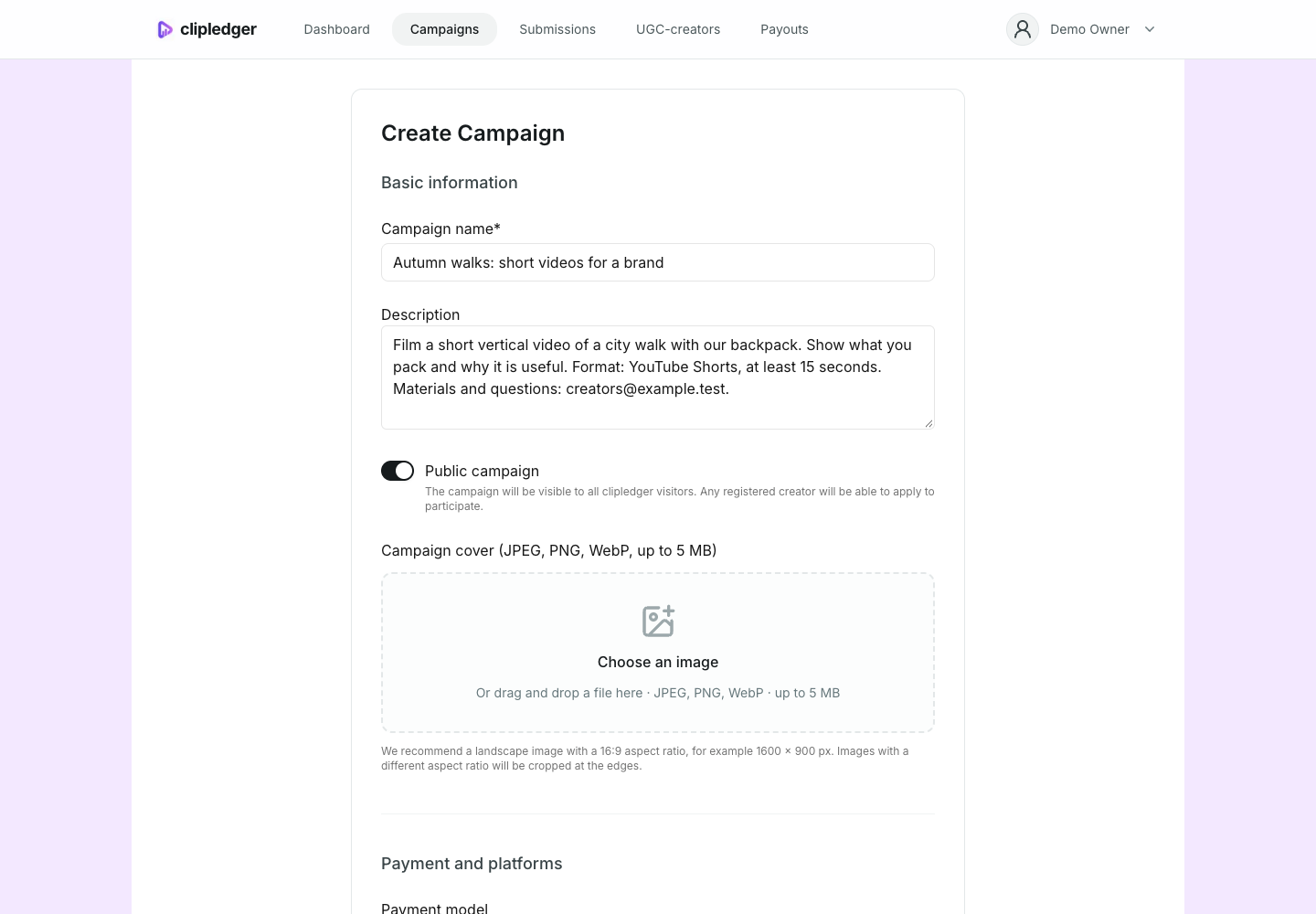
Choose a clear name. For example, “Autumn walks: short videos for a brand” explains the task better than “Campaign 12”.
In the description, explain what to film, who the video is for and what result you expect. Say where to find materials and how to contact you. The description appears on the public page, so do not include passwords, personal data or confidential materials.
Turn on “Public campaign”. You can also add a cover: a landscape image in 16:9 works best, for example 1600 × 900 pixels. JPEG, PNG and WebP files up to 5 MB are supported.
3. Set payment, platforms and dates
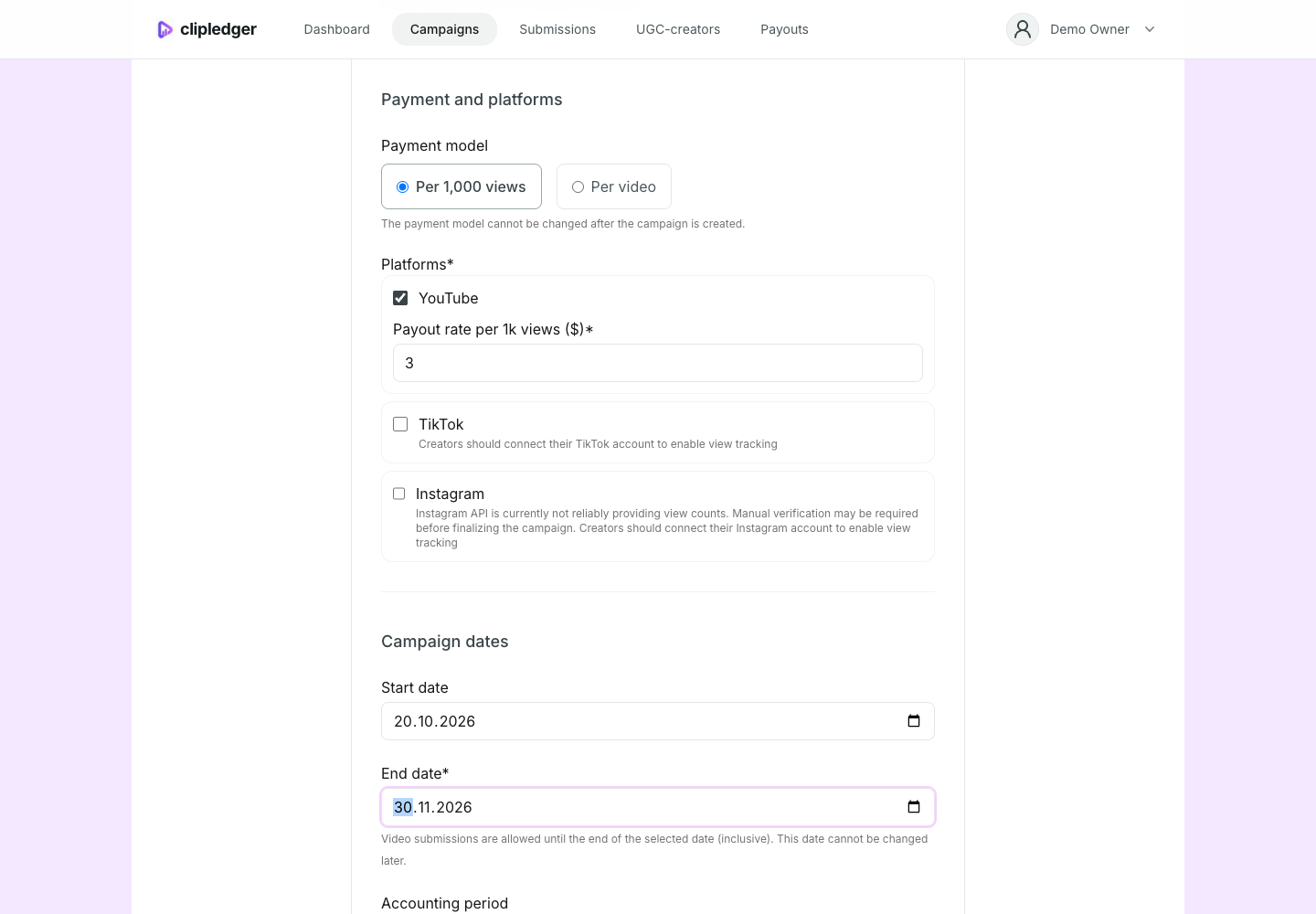
Choose payment per 1,000 views or per video. Select the platforms and enter a rate for each. For payment per video, set a minimum view count if needed.
Set the start and end dates. Videos can be submitted until the end of the end date, inclusive.
Choose how long views will count: until the campaign ends or for a set number of days after each video is published. For the second option, enter the number of days. Explain this in the rules so creators understand which period determines their earnings.
4. Write clear rules
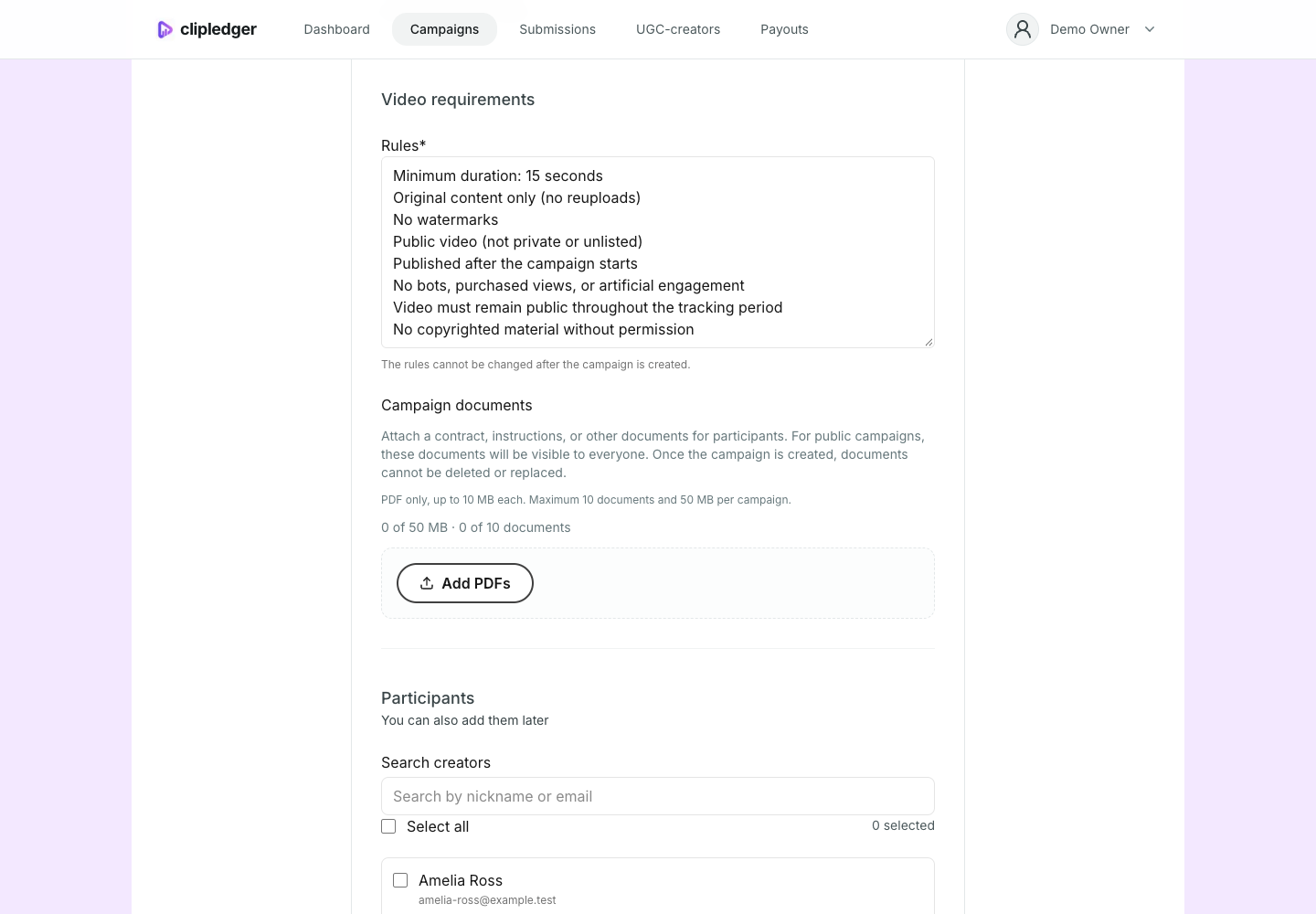
The form already contains sample rules. Read them and adapt them to your task. Good rules help creators understand which videos you will accept and what they will be paid for.
- What to film: topic, format, length and required elements.
- What is not allowed: copied videos, prohibited materials, fake views and other restrictions.
- When to publish and how long the video must remain available.
- Clear criteria for accepting or rejecting a video.
- How earnings are calculated, when you pay and which payment method you use.
- Where to ask questions and what to do if a video needs changes.
Be specific. Instead of “make a quality video”, write “film a vertical video of at least 15 seconds, show the product in use, add subtitles and do not use someone else’s music without permission”.
5. We recommend attaching contracts
Attaching a contract or detailed cooperation terms is especially helpful for a public campaign: any eligible user can join, including people you have not discussed everything with personally.
Explain payment arrangements, use of finished videos, rights to materials, each party’s responsibilities and how disagreements will be resolved. Summarize the essentials in the rules and attach the details as a separate document.
Add PDF files in the documents section. Attached documents cannot be deleted or replaced after the campaign is created, so check them beforehand. You can attach up to 10 documents, up to 10 MB each and 50 MB in total. Use clear names such as “Participation terms.pdf” and “Creator agreement.pdf”.
Documents are available on the public page. Upload general terms and templates without other people’s signatures, passport details or other personal information.
Before joining, participants see the rules and document links and must confirm that they accept the terms. This is not a separate contract signing process. If you need a signed contract with each creator, arrange signing separately.
6. Review and create your campaign
Read the description, rates, dates, rules and documents once more. You can add creators you already know in “Participants”, or add them later. You do not have to fill this section in advance for an open call.
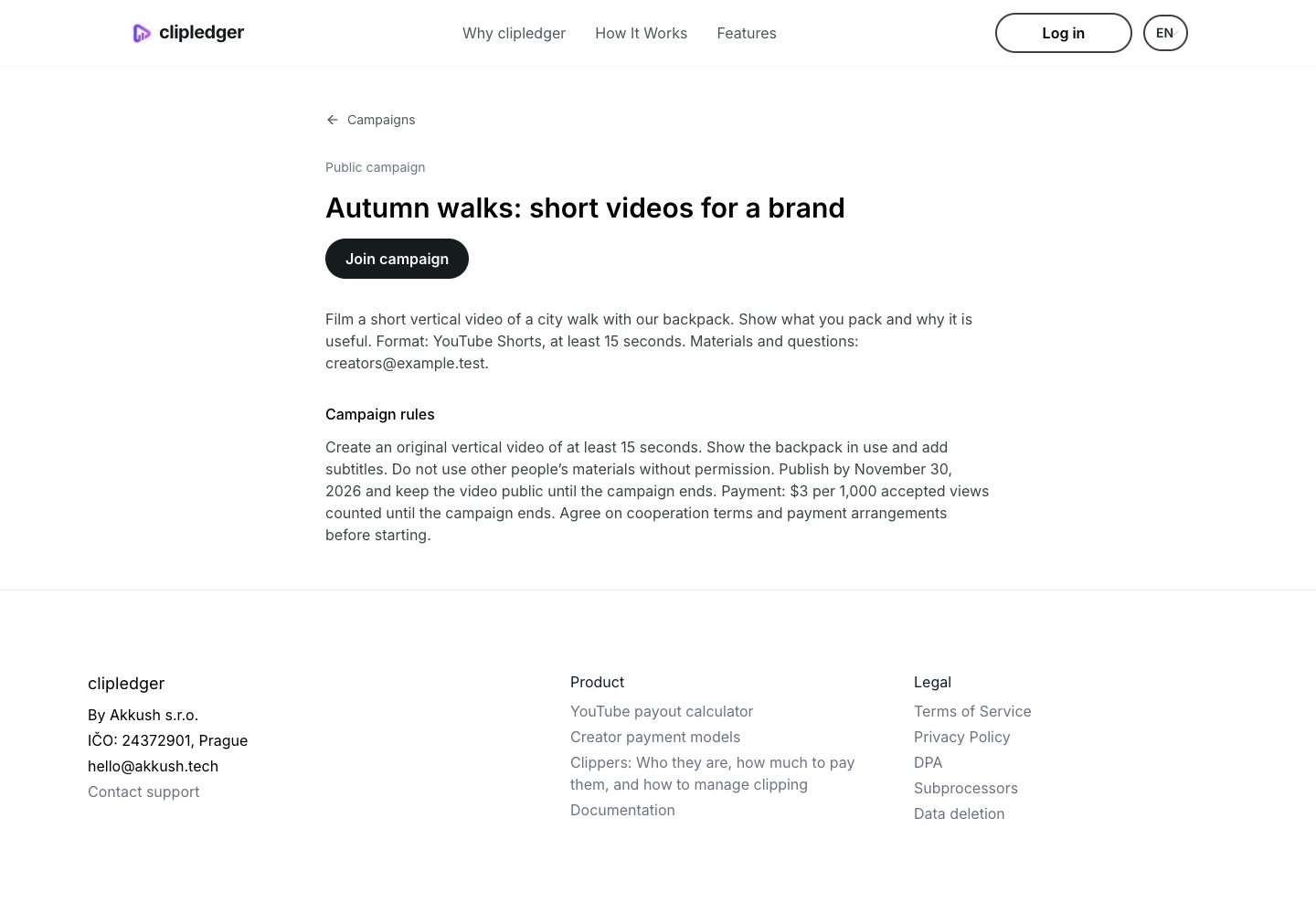
Click “Create Campaign”. Then open its public page from the public campaigns section and check how it looks to a creator. Copy the address from your browser and share it wherever you are recruiting participants.
Visitors can read the description, rules and documents. To join, they need to accept the terms and sign in or register. Joining does not mean all their future videos will be accepted: review submissions against your published rules.
What makes a good public campaign
A creator should easily be able to answer five questions: what to film, where to publish, what the deadline is, how much they can earn and what they need to do to get paid. If they need to ask you for these answers, complete the description and rules before launching.
Choose a manageable task, provide clear examples, prepare materials in advance and answer participants’ questions. Only promise terms you can fulfil. A clear offer helps suitable creators decide to join and make the videos you need.